Zombie Filter: Turn Your Photo Into a Zombie With AI
Last updated
This zombie filter turns your photo into a zombie with AI. Upload one picture of yourself, a friend or your dog or cat, and you get the same photo back with the person or pet turned: pale grey skin, faint dark veins, clouded white eyes and dusty, worn clothes. The face stays recognisably theirs, the background stays the same, and there is no blood or gore.
Turn a photo into a zombie
3 photos for $1.90 or 10 for $3.90. One-time payment.
Ready in about a minute. Same price for every look, and no blood or gore.
How to turn a photo into a zombie
- Upload one photo with one face in it, facing the camera in good light. A selfie works well.
- Choose whether it shows a person or a dog or cat, pick the look, and confirm the photo is yours or that you have permission.
- Press the button. The zombie photo is ready in about a minute, with a download button underneath.
Photos come in packs, 3 for $1.90 or 10 for $3.90, and unused ones never expire. A photo that fails is returned automatically.
Pick a look: zombie, pop-art makeup, clown, skull or vampire
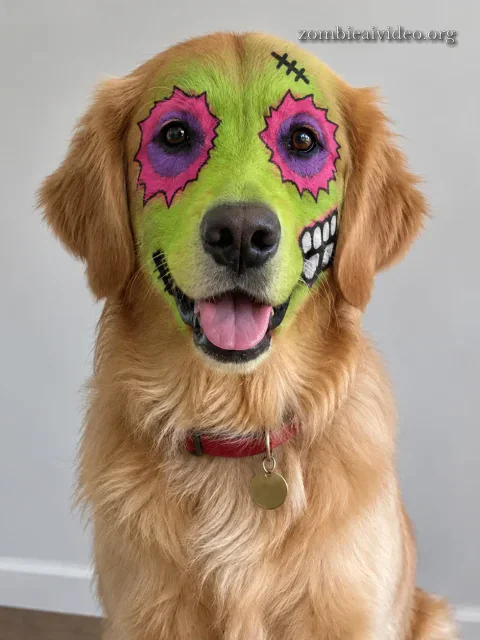
The realistic zombie turns the skin pale grey with faint dark veins and clouds the eyes, like a still from a zombie film. The pop-art zombie makeup paints the comic face paint from TikTok onto your photo instead: lime-green skin, pink and purple eye sockets with ragged edges, a black heart nose and big painted teeth. Your own eyes stay, so it reads as you in costume rather than you turned. For classic Halloween face paint there is also a creepy clown with a painted grin, a skull with black eye sockets and drawn-on teeth, and an elegant vampire with dark lips and small fangs. Every look costs the same.
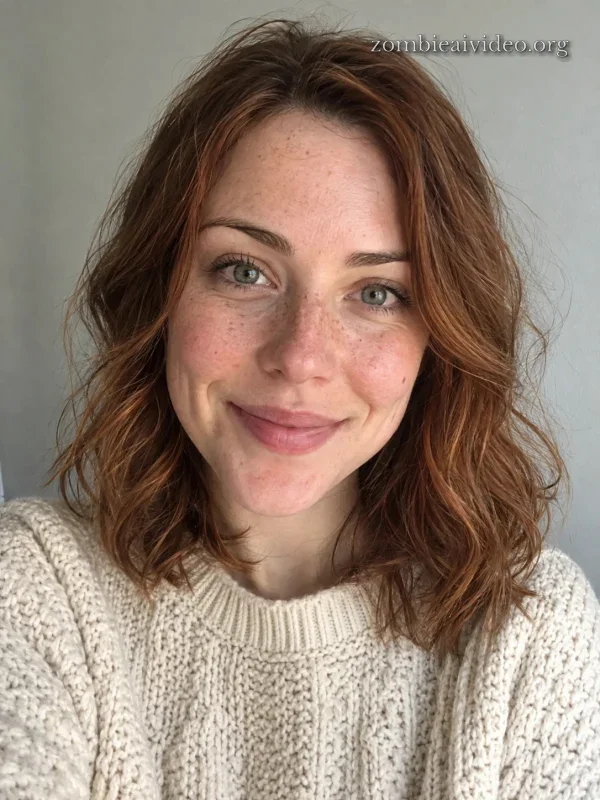 Original
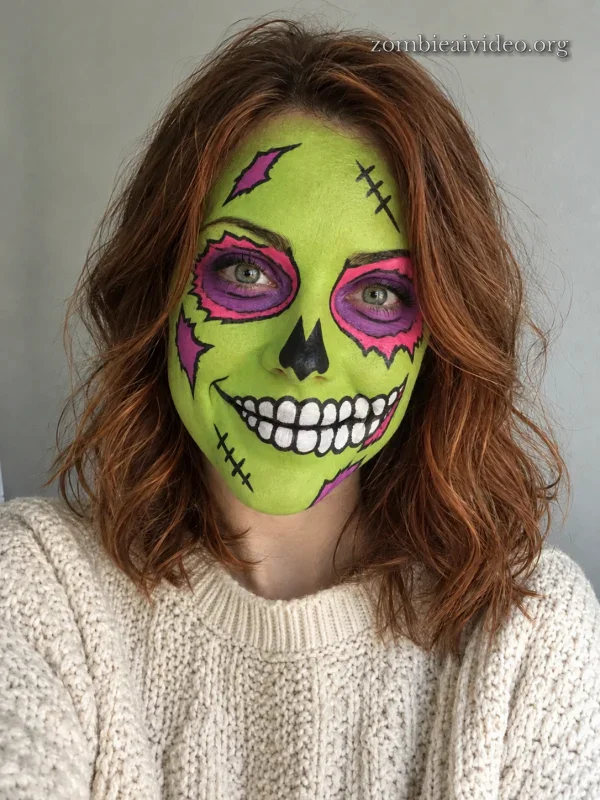 Pop-art makeup
 Original
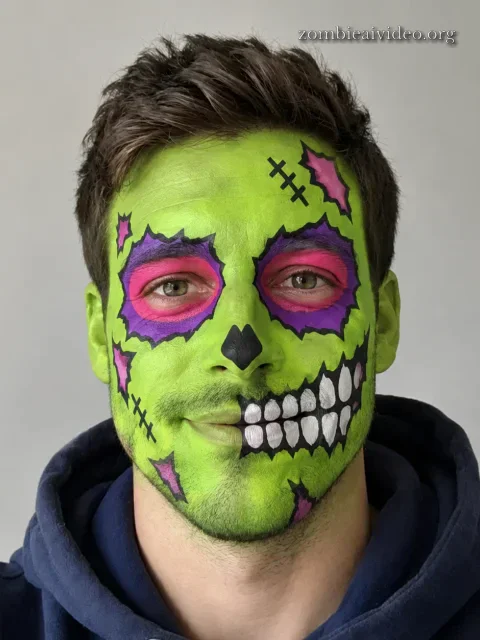 Pop-art makeup
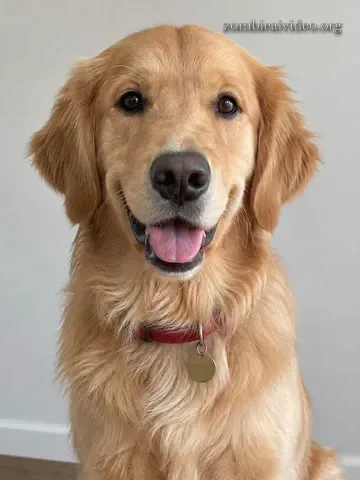 Original
 Pop-art makeup
AI zombie filter or a live zombie lens?
There are two kinds of zombie filter, and they suit different things.
A live lens on Snapchat, TikTok or Instagram is free and works on the camera in real time. It paints a zombie face over yours as you move, which is great for a quick video, but it sits on top of the picture like a mask and rarely looks real in a still photo.
An AI zombie filter like this one works on a photo you already have. It redraws the whole picture, so the skin, eyes, hair and clothes change together and the result looks like a real photograph of a zombie version of you. It takes a minute instead of a second and costs a little, and it works on old photos, photos of friends and photos of pets, which a live lens can't do.
If you only want a laugh on camera, use a free lens. If you want a photo to post, print or use as a Halloween profile picture, use the AI version.
Photos that work best
Use a sharp, recent photo with the face clearly visible, not covered by sunglasses, masks or hands. Daylight or a bright room keeps the features steady. Head-and-shoulders shots give the most detail; full-body shots work too, with less detail in the face. For a pet, a photo taken at its eye level with the whole head in frame works best.
Only upload photos of people who agreed to it. Don't upload photos of children or public figures.
Make it a zombie video
A zombie photo is a still. The trend everyone is posting is a video: the AI zombie love story, where someone finds the person or pet they love infected, lowers the gun and hugs them anyway, then a hard cut jumps to a happy memory. Our zombie AI video generator makes that film from two photos.
FAQ
How do I turn a photo into a zombie?
Upload one photo of a person or a pet, choose who is in it, tick the consent box and press the button. The AI keeps the face, pose and background of your picture and changes the skin, eyes and clothes. The zombie photo is ready in about a minute.
Is this zombie filter free?
No. Photos come in packs: 3 for $1.90 or 10 for $3.90, paid once, with no subscription. If a photo fails, it is returned to your balance automatically. Free live filters exist on Snapchat and TikTok; see the comparison above.
Does it work on dogs and cats?
Yes. Choose "A dog or cat" and upload a clear photo of your pet. It keeps the breed, fur colour and markings and gives your pet clouded eyes and matted grey fur.
Is the zombie photo gory?
No. The look is pale grey skin, faint dark veins, clouded white eyes and dusty clothes. There is no blood, no wounds and no bite marks, so it is fine to post anywhere.
What is the pop-art zombie makeup look?
It is the face paint from the TikTok zombie makeup trend: a flat lime-green face, hot-pink and purple eye sockets with ragged comic edges, a black heart nose and cartoon teeth painted across the lips and cheek. Your photo stays a real photo and keeps your own eyes; only the makeup looks drawn. It costs the same as the realistic look.
Can I use a photo with several people?
It works best with one face per photo. In a group photo the AI may change everyone or mix up faces, so crop to one person first.
Where do my zombie photos go?
They appear on this page as soon as they are ready, with a download button, and stay in My videos for as long as you keep your account. You can ask us to delete your photos at any time.
More zombie guides
To make zombie pictures yourself in an AI image editor, copy the image prompts from our zombie AI prompts. For Halloween, see the Halloween AI video, and for the story behind it, what the AI zombie trend is. Pet owners can go straight to the zombie dog and cat video.